StickShift Transmission Free1.5
Publisher Description
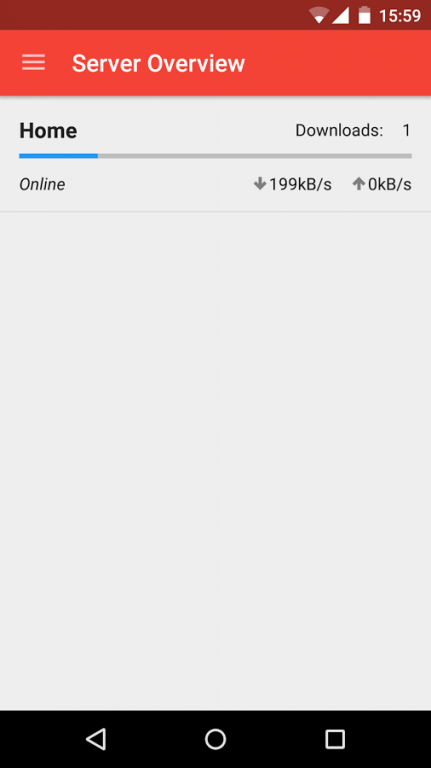
StickShift allows you to connect to Transmission® remotely and manage your Bit Torrent activity in a clean and slick user interface optimised for phones.
Features:
* Free to use with no ads
* Manage multiple Transmission servers
* Automatic refreshing
* Add torrents from magnet and .torrent files
* Pause, Resume & Delete torrents
* Has all torrent related options that transmission allows
* Has large number of server setting available
* Select and Deselect files within torrents
* Global speed control
* Add magnet links direct from browser
Planned Updates & Features:
* More settings when adding torrents (Very soon)
* Final remaining server settings (Very soon)
* Notifications
* Initial Android Wear functionality
* Import & Export app settings
About StickShift Transmission Free
The company that develops StickShift Transmission Free is EleBit. The latest version released by its developer is 1.5.
To install StickShift Transmission Free on your Android device, just click the green Continue To App button above to start the installation process. The app is listed on our website since 2015-10-30 and was downloaded 18 times. We have already checked if the download link is safe, however for your own protection we recommend that you scan the downloaded app with your antivirus. Your antivirus may detect the StickShift Transmission Free as malware as malware if the download link to com.impression11.transmissionclient is broken.
How to install StickShift Transmission Free on your Android device:
- Click on the Continue To App button on our website. This will redirect you to Google Play.
- Once the StickShift Transmission Free is shown in the Google Play listing of your Android device, you can start its download and installation. Tap on the Install button located below the search bar and to the right of the app icon.
- A pop-up window with the permissions required by StickShift Transmission Free will be shown. Click on Accept to continue the process.
- StickShift Transmission Free will be downloaded onto your device, displaying a progress. Once the download completes, the installation will start and you'll get a notification after the installation is finished.
Program Details
System requirements
Download information
Pricing
Version History
version 1.5
posted on 2015-10-30
Version 1.5,Features:,* Server settings appearance now consistent with other settings.,* New server settings have added (Downloading, Seeding, Connections).,* Server Settings editable from individual server overview.,* Tick / untick all files options on individual torrent views,* Server details section added (Free Space, RPC Versions),* Improved seeding details on torrent overview and individual torrents,* New add torrent dialog,* Magnet links open the app ready to add torrent to server
